
All content on this website is provided solely for educational and demonstration purposes. Any software downloaded from this site is not intended for commercial use or broad distribution. You are solely responsible for ensuring compliance with all applicable license agreements and laws.
If you appreciate a particular program, we strongly encourage you to purchase the official version and support its developers. They invest significant time and effort into creating these tools and, unlike many others, cannot work for free — they need to earn a living. Consider leaving a comment, sharing, or otherwise supporting those who work hard for you.
Discover V-Ray 7 for 3ds Max latest features in 2026: AI Material Generator, AI Enhancer, procedural Night Sky, Gaussian Splats clipping, and faster GPU rendering. Trusted by 92 of the top 100 architecture firms—boost your photoreal renders today.

Introduction
V-Ray 7 for 3ds Max stands as the industry-leading renderer in 2026, powering photorealistic visualizations for the world’s tallest buildings, most sustainable homes, and innovative urban designs. Trusted by 92 of the top 100 architecture firms, V-Ray delivers production-proven lighting, shading, materials, and rendering tools that integrate seamlessly into your 3ds Max workflow—keeping you in full control without interruptions.
Without V-Ray, even the most powerful 3ds Max setup feels incomplete—like driving a high-performance car without wheels. In this complete 2026 guide, explore the newest features in V-Ray 7 (including Update 2), how AI is transforming your renders, and practical tips to achieve stunning results faster.
Why Choose V-Ray for 3ds Max in 2026?
V-Ray remains the go-to renderer for professionals because it combines unmatched realism with workflow efficiency. Key advantages include:
- Photorealistic quality — Physically accurate lighting, global illumination, caustics, and volumetrics.
- Versatile rendering engines — CPU, GPU (CUDA/RTX), and hybrid modes for speed and quality balance.
- Deep 3ds Max integration — No export/import hassles; everything stays live and editable.
- Ecosystem tools — Chaos Scatter, Enscape compatibility, Cosmos assets, and Chaos Cloud for remote rendering.
As of March 2026, V-Ray 7 (latest stable build ~7.20.08) supports 3ds Max 2020–2026 fully, with hotfixes addressing stability and performance.
What’s New in V-Ray 7 for 3ds Max – Update 2 Highlights
The most recent major update (V-Ray 7 Update 2, released 2025 with hotfixes into 2026) introduces game-changing AI and procedural tools:
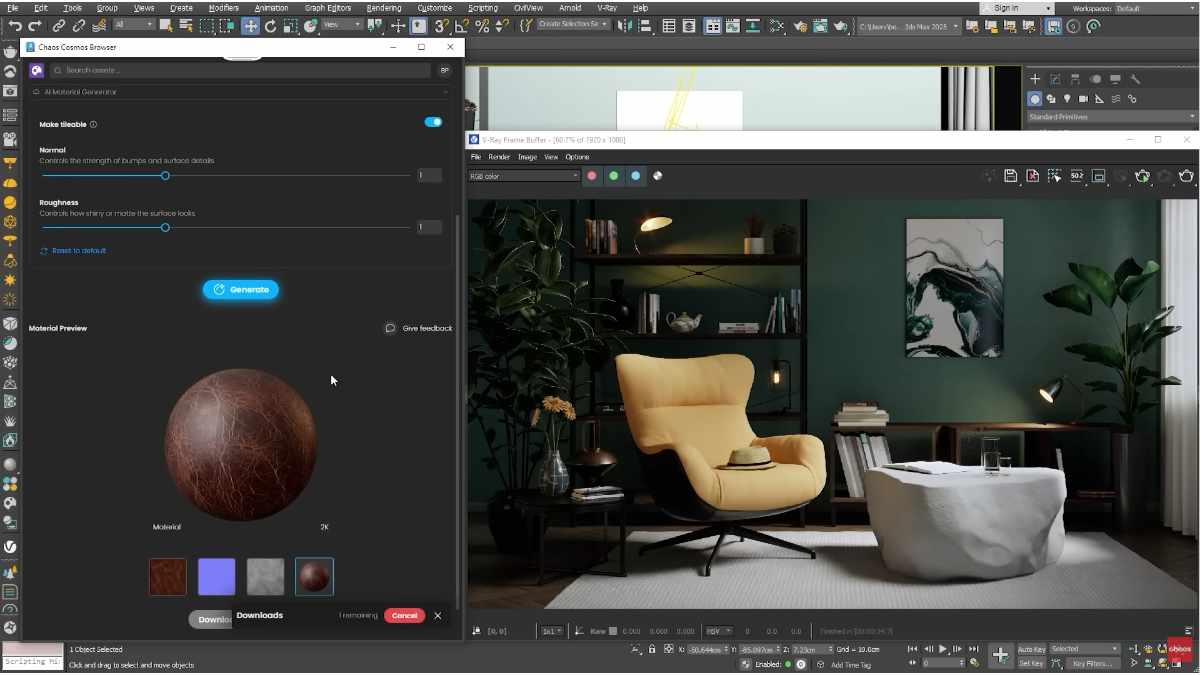
- AI Material Generator (Beta) — Upload a real-world photo (e.g., concrete, wood, fabric) and instantly generate a full PBR material with diffuse, normal, roughness, displacement, and other maps. Perfect for architects matching client references quickly.
- AI Enhancer (Beta) — Automatically upscale and add detail to renders—fix low-res people cutouts, vegetation, or noisy areas for higher realism without manual fixes.
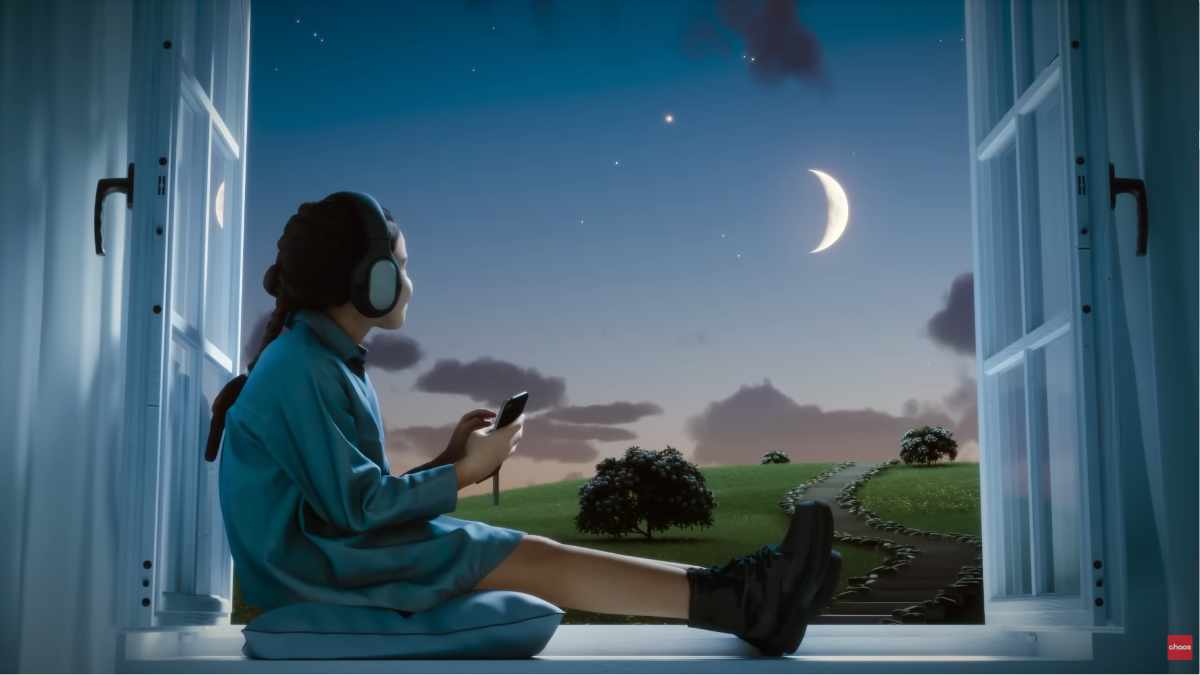
- Procedural Night Sky — Create astronomically accurate night scenes with stars, moon phases, Milky Way, and atmospheric effects—ideal for exterior visualizations at dusk or night.
- Gaussian Splats Clipping Masks — Trim and clip 3D Gaussian splats directly in 3ds Max, removing unwanted parts for cleaner scenes (great for scanned environments).
- Chaos Scatter Clusters — Group and manage scattered instances more intuitively, with new clustering options for forests, cities, or crowds.
- Faster Cloud GPU Rendering — Up to 3x speed improvements in Chaos Cloud for distributed GPU jobs.
- Other enhancements — Improved denoiser channels, Multi-SubTex variations, Freeform region rendering, Vignette in VFB, and better .vrscene export optimization.
These features make V-Ray 7 faster, smarter, and more collaborative—especially for archviz, product viz, and VFX pipelines.
Core Features That Make V-Ray Industry Standard
Beyond the newest additions, V-Ray 7 builds on proven tools:
- Progressive caustics & adaptive dome light — Realistic water, glass, and metal reflections in less time.
- Powerful materials — VRayMaterial with Thin Film, SSS improvements, OpenPBR support.
- Chaos Scatter & Cosmos — Populate massive scenes with assets from the cloud library.
- V-Ray Frame Buffer (VFB) — Layer compositing, lens effects, color corrections, and history comparison—all in real time.
- GPU + CPU hybrid rendering — Leverage RTX cards for interactive previews and final shots.
Professionals report 30–50% faster iterations compared to older versions, especially with AI denoisers and GPU acceleration.
How to Get Started with V-Ray 7 in 2026
- Download the latest build from the official Chaos website (supports 3ds Max 2021–2026).
- Install and activate your license (monthly, annual, or perpetual options available).
- Explore free trial if you’re new—test AI tools on your scenes immediately.
- Check system requirements: strong GPU (RTX recommended) unlocks the fastest performance.
For farms or teams, Chaos Cloud handles heavy lifting without local hardware limits.
Real-World Impact: Why 92/100 Top Firms Rely on V-Ray
From skyscrapers in Dubai to eco-friendly residential projects, V-Ray delivers client-winning imagery. Its reliability, speed, and photorealism help architects communicate designs clearly—leading to faster approvals and more projects won.
FAQ
Is V-Ray 7 compatible with 3ds Max 2026? Yes—full support since early 2025 updates, with ongoing hotfixes.
What’s the biggest new feature in V-Ray 7 Update 2? AI Material Generator and AI Enhancer—both transform reference photos into production-ready assets instantly.
Does V-Ray 7 support GPU rendering? Absolutely—CUDA, RTX, and hybrid modes with massive speed gains.
How much does V-Ray 7 cost? Subscription starts from ~$350/year (check Chaos site for exact pricing and trials).
Can beginners learn V-Ray for 3ds Max quickly? Yes—intuitive integration + official tutorials make the learning curve manageable.
Key Takeaways
- V-Ray 7 for 3ds Max leads with AI-powered tools in 2026.
- Night Sky, Gaussian clipping, and faster cloud rendering boost productivity.
- Seamless 3ds Max workflow + photoreal results = industry choice for pros.
- Download latest version and try AI features today.
Ready to level up your renders? Download V-Ray 7 for 3ds Max free trial now and see the difference in your next project.
⬇️ How to download
It's easy, but here's how it actually works:
- Pick your version from the list.
- Hit the Download button – you'll be taken to a file host.
- ⚠️ Important: disable your AdBlocker – otherwise the site might not work properly.
- If you're on a free or temporary plan, you'll see a 30‑second timer – just wait it out.
- After the timer ends, the real download button appears. Click it and get your file.
✅ No extra installers, no hidden registrations – just a short wait.
🙏 And hey – if you appreciate what we're doing, consider supporting us. This site runs on ads, nothing malicious, just honest help for the community. Every click helps keep the project alive.
💬 Community & Support
We sincerely appreciate everyone who supports our website and shows interest in our work.
Your comments and interaction on the site really help our project grow and reach more 3D artists around the world 🌍.
We also have a Telegram channel — where we share updates, exclusive content, and materials that are not available on the website.
If you're looking for something specific — especially assets for Unity Engine or large 3D model packs that haven't yet been published due to their size — you can leave your request there, and if the files are available, we'll provide a direct download link.
Thank you for being part of our community and helping us keep this creative space alive ❤️
🚀 Join Our Telegram Channel
Get early access to new 3D models, exclusive Unity assets, and behind-the-scenes content.
🔗 Join Telegram💡 Your activity helps us grow — every visit, comment, and share makes a real difference.
We're truly grateful for your support and curiosity 🙏