
All content on this website is provided solely for educational and demonstration purposes. Any software downloaded from this site is not intended for commercial use or broad distribution. You are solely responsible for ensuring compliance with all applicable license agreements and laws.
If you appreciate a particular program, we strongly encourage you to purchase the official version and support its developers. They invest significant time and effort into creating these tools and, unlike many others, cannot work for free — they need to earn a living. Consider leaving a comment, sharing, or otherwise supporting those who work hard for you.
Allegorithmic Substance Designer 5.5.0.110
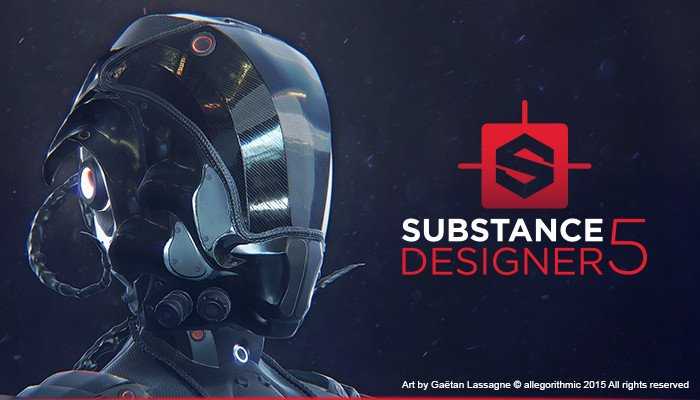 Substance Designer is a node-based texture compositing tool that allows you to create Substance files or bitmap textures. You can use it to texture assets and also bake model information (ex: normal, displacement, curvature, etc.).
It contains a wide library of tools, materials, and procedural effects to help you achieve your goals in a fully non-destructive workflow.
5.5.0.110
Changes:
New MDL (Material Definition Language) Editor!
[Bakers] New Curvature from mesh baker
[Library] Use SVG icons instead of bitmap files
[Library] Add an option to filter the result for MDL, Compositing, Function and Fxmap
[Graph] Extend the “Display newly created node” to copy/pasted / duplicated nodes
[New Document] Create a Template selection widget when creating a new MDL Graph
[3D View][Iray] Display Render Mode + VCA nodes next to iterations/time
[3D View] Improve “material” menu performances on opening
[3DView][Bakers] Update to FBX SDK 2017
[3D View] Add the ability to show/hide rendering information (resolution, iterations, etc.) in the display menu of 3D View
[Iray] Expose tessellation parameters back to scene edit
[Project] Add auto-generated alias for project file directory
Project] Specify the default environment texture in the project settings
[Content] Added new studio HDRi
[Content] Add non-square transform node to the library
Launch SD with a specific .sbscfg file
Fixes:
[Graph] Inputs does not automatically connect to outputs with the same usage.
[Graph] Inserted node inputs are not plugged correctly
[Graph] Unselecting should also select a node under the mouse
[Graph] Node insert doesn’t connect to all links
[Bakers] Incorrect diffusion in curvature baker
[Bakers] “Transferred texture from mesh” crashes if the high def mesh has no UVs
[UI] Function Icon on parameters is not modified when a function is defined
[UI] Tooltips for parameters are cut
[3D View] more than 1000 lights are displayed in the scene
[3D View] GLSL Lambert shader don’t manage sRGB texture correctly
[3D View] Tiling parameters missing when connecting substances in Iray
[Iray] Preset export of MDL not working when spaces in name
[Iray] Subdivision parameters are not taken into account
[Parameters] Parameter identifier is no more displayed
[Parameters] Crash when changing resource URL from the “From Resource…” action
[Parameters] Incorrect conversion of & character
[Explorer] double clicking on a ‘big’ graph often fail to open it in the graph view
Explorer] Embedded SVGs are shown as missing in the Explorer
[Explorer] Crash when renaming an item with the ‘&’ character
[Content] Gradient 1 tiling is wrong when using 90/180° rotation
[Perforce] Integration does not seem to work if the workspace is located at the HDD root
[Data] UID generated for nodes are not unique
[Preferences] Adding an alias targeting HDD root messes up paths in sbsprj
[MEMORY LEAK] Some QDialogs are not destroyed when they are closed
NOTE: Don’t use this software for commercial purpose,only for educational!!!
If you like this software you can purchase HERE:
https://www.allegorithmic.com/products/substance-designer
⬇️ How to download
It's easy, but here's how it actually works:
- Pick your version from the list.
- Hit the Download button – you'll be taken to a file host.
- ⚠️ Important: disable your AdBlocker – otherwise the site might not work properly.
- If you're on a free or temporary plan, you'll see a 30‑second timer – just wait it out.
- After the timer ends, the real download button appears. Click it and get your file.
✅ No extra installers, no hidden registrations – just a short wait.
🙏 And hey – if you appreciate what we're doing, consider supporting us. This site runs on ads, nothing malicious, just honest help for the community. Every click helps keep the project alive.
💬 Community & Support
We sincerely appreciate everyone who supports our website and shows interest in our work.
Your comments and interaction on the site really help our project grow and reach more 3D artists around the world 🌍.
We also have a Telegram channel — where we share updates, exclusive content, and materials that are not available on the website.
If you're looking for something specific — especially assets for Unity Engine or large 3D model packs that haven't yet been published due to their size — you can leave your request there, and if the files are available, we'll provide a direct download link.
Thank you for being part of our community and helping us keep this creative space alive ❤️
🚀 Join Our Telegram Channel
Get early access to new 3D models, exclusive Unity assets, and behind-the-scenes content.
🔗 Join Telegram💡 Your activity helps us grow — every visit, comment, and share makes a real difference.
We're truly grateful for your support and curiosity 🙏