
All content on this website is provided solely for educational and demonstration purposes. Any software downloaded from this site is not intended for commercial use or broad distribution. You are solely responsible for ensuring compliance with all applicable license agreements and laws.
If you appreciate a particular program, we strongly encourage you to purchase the official version and support its developers. They invest significant time and effort into creating these tools and, unlike many others, cannot work for free — they need to earn a living. Consider leaving a comment, sharing, or otherwise supporting those who work hard for you.
Free AI models on OpenRouter for everyday use in 2026: text, images, AI agents, and API tools. How to pick the right one and get started for free.
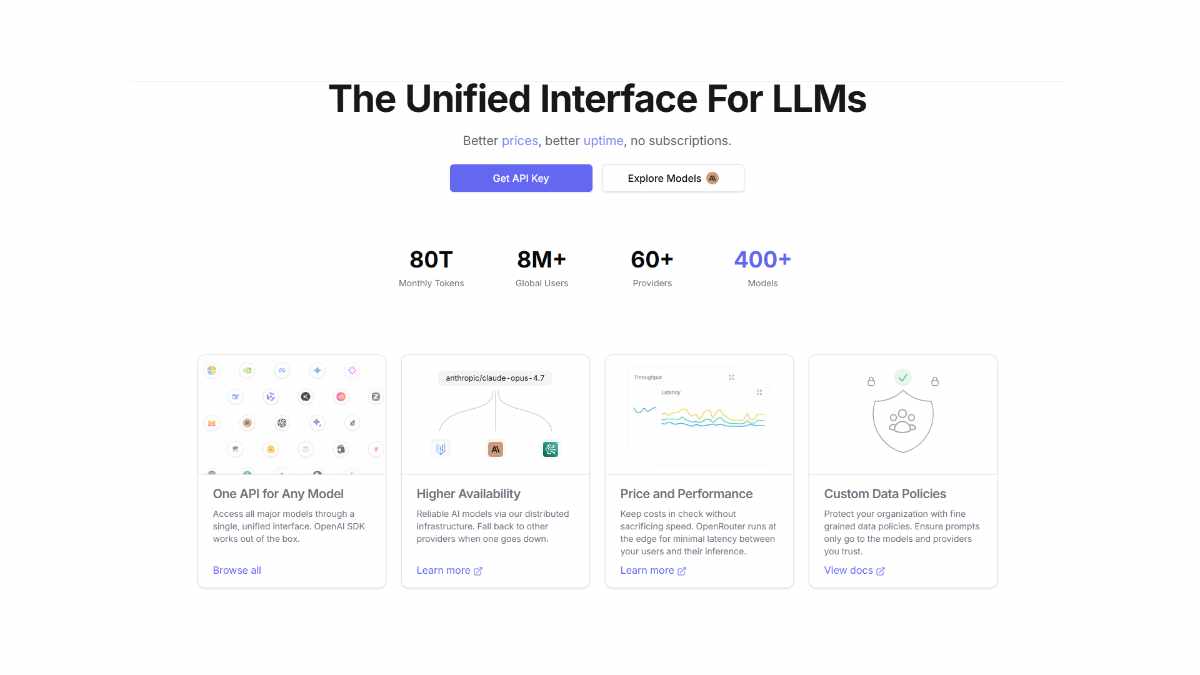
If you’re browsing the web right now trying to find a solid free AI model to run text, images, or simple AI agents, you’re swimming in noise: “best model”, “insane performance”, “free forever”. The reality is simpler: OpenRouter gives you access to hundreds of models, and a curated handful of them are actually free to use with no credit card.
This post is written for the kind of person who just wants to:
- get a real?world?usable free model fast,
- understand which model fits what task (text, images, agents, coding),
- and plug it into their own workflow without paying for API calls.
No “AI?visionary” fluff, just a human?style, AEO?optimized guide you can actually use today.
What OpenRouter Actually Is (In Plain Words)
OpenRouter is a single API gateway that lets you talk to 300+ different AI models through one unified endpoint and offers the best free AI models in 2026. Instead of juggling separate API keys for seven different providers, you can:
- send your request to OpenRouter,
- pick a model by name,
- and get back text, images, or structured data without touching the original provider’s dashboard.
What matters for most people is that OpenRouter:
- exposes a free tier with real?world?usable models,
- clearly labels which models are free (often with
:freein their ID), - and lets you compare models by context length, speed, and price.
For a dev, blogger, or small?scale agent setup, that’s a big deal: you can prototype and sometimes even ship light?weight tools without adding a monthly AI?bill.
How to Think About “Free” AI Models
Before you start throwing models at random tasks, it helps to understand what “free” really means on OpenRouter:
- Free models are subsidized – some are free to use, but they may have lower rate limits, slower responses, or shorter max context when compared to paid tiers.
- Free?unlimited – you can usually make a lot of requests, but if you suddenly spin up 100 agents hammering a free model, things will slow down or get throttled.
- Free models can still be strong – in 2026, top free LLMs like DeepSeek?R1, Qwen3, and Llama?3?style variants can match or even beat some paid models on coding and reasoning tasks.
So, when you look at a free model, ask:
- What is this model good at? (coding, general text, math, agents, vision)
- What’s the context length and speed?
- How does it behave under real?world workloads (like an AI agent that thinks in 10 steps)?
How to Choose the Right Free Model
If you were in the OpenRouter model list right now, with a blank project in front of you, this is how you’d narrow it down:
- Pick a use case first
- Need to write everyday text, emails, docs, blog drafts? ? look for general?purpose LLMs (DeepSeek?R1, Llama?3?style, Qwen3).
- Coding? ? look for coder?specific models or Qwen?coder?style variants.
- Need multimodal (images, documents, charts)? ? look for vision?capable LLMs that can read PDFs, screenshots, and UIs.
- Want to run lightweight AI agents or chatbots? ? look for models that support tool?use / function calling and long?form reasoning.
- Check context and speed
- A model with 128k or 200k tokens can handle long docs, but may feel slower.
- A 32k?token model that’s fast is better for chat?style interactions.
- Verify it’s truly free
- Model ID ends with
:freeor is listed in the “Free AI Models” collection. - No recurring charge or “free trial then pay” hidden in the background.
- Model ID ends with
That’s it. Everything else is flavor text.
Top Free Models for Everyday Use
Here’s how real?world users are leaning in 2026, not as hype?bait lists, but as practical “this works for X” picks.
1. For everyday text and writing (articles, docs, chat)
Models like DeepSeek?R1, Llama?3?style 70B, and Mistral?like small?to?medium variants are the go?to for general?purpose text in 2026.
What they’re good for:
- Writing blog posts, social?media captions, documentation, and simple scripts.
- Working as a “thinking partner” for brainstorming, outlining, or refining ideas.
- Powering simple chatbots or assistant?style interfaces that don’t need heavy computation.
If you’re a human clicking around and asking “what model should I use for writing articles?”, these are the ones you’d realistically grab first.
2. For coding and scripting
In the free tier, Qwen?style coder models (Qwen3?Coder?480B :free) and DeepSeek?R1?style reasoning?focused models are the ones that keep showing up in developer discussions.
What they’re good for:
- Generating boilerplate code, fixing small bugs, writing data?processing scripts or utility tools.
- Helping with API wiring, prompt?engineering helpers, and simple automation scripts.
- Running inside lighter?weight agent frameworks that don’t need GPU farms.
If you open an IDE or a small agent stack and want a free model that can actually write usable code without charge?per?call, this is usually the combo people reach for.
3. For AI agents and local tool?use
If you’re thinking about AI agents (things that call APIs, read files, and take steps automatically), you want models that:
- support tool?use / function calling,
- handle multi?step reasoning without losing track of context,
- and are fast enough for repeated round?trips.
On OpenRouter, many people start with:
- DeepSeek?R1?style free reasoning models for more complex planning,
- and lighter Mistral?style small?to?medium models for quick back?and?forth in agent?to?agent conversations.
These are not “magic unicorn” models; they’re just stable, free options that behave reasonably well when chained into an agent pipeline.
4. For vision and multimodal (images, documents, UI)
If you need a model that can read images, screenshots, receipts, charts, or UI layouts, you want multimodal / vision?capable LLMs that support images as input.
On OpenRouter, these are usually labeled with vision / VL in their name, and the free tier often includes at least one solid candidate that can:
- analyze UI screenshots and explain layout,
- read PDFs and simple charts,
- and describe what’s happening in an image even if it’s not photo?perfect.
They’re not Photoshop?style image generators, but they’re strong for document?handling and simple visual?QA workflows.
5. For local?only or self?hosted agents
If you’re the type who wants to run models locally (via Ollama, LM Studio, or similar tools) and just use OpenRouter for API?style access, you’re looking at open?source LLMs that are free to run and legally usable in production.
Popular picks in 2026 include:
- Gemma?style models for lightweight, general?purpose agents,
- Nemotron?style open?weights models for more heavy?duty coding and reasoning,
- and Qwen?style variants that balance performance, context, and multilingual support.
These are what the “build?your?own?agent?stack” crowd actually talk about when they say “I’m using free models; no OpenAI?style API bill.”
How to Get an OpenRouter API for Free and get Free AI Models
If you land on OpenRouter through a search like “free AI model API 2026” or “OpenRouter free API key”, the process is simple:
- Go to OpenRouter and sign up with email or GitHub (no credit card needed for the free tier).
- Get your API key from your dashboard.
- Use it wherever you’d usually configure an LLM provider (your own code, an AI?agent framework, a simple chat app, a browser plugin, or a script that calls the API).
Because OpenRouter routes to real?world models, you can most of the time swap it into:
- existing code that expects OpenAI?style endpoints,
- agent frameworks that support OpenRouter as a provider,
- or simple scripts that just need
model,messages, andresponseback.
You don’t need to be a backend engineer to plug it in; you just need a few API docs and a script that sends JSON.
Get ready to create AI chats, AI agents, bots, and more! If you need free AI models for different tasks, find Free AI Models On OpenRouter for your project.
You can also check out our website to read about AI models and the latest news.
⬇️ How to download
It's easy, but here's how it actually works:
- Pick your version from the list.
- Hit the Download button – you'll be taken to a file host.
- ⚠️ Important: disable your AdBlocker – otherwise the site might not work properly.
- If you're on a free or temporary plan, you'll see a 30‑second timer – just wait it out.
- After the timer ends, the real download button appears. Click it and get your file.
✅ No extra installers, no hidden registrations – just a short wait.
🙏 And hey – if you appreciate what we're doing, consider supporting us. This site runs on ads, nothing malicious, just honest help for the community. Every click helps keep the project alive.
💬 Community & Support
We sincerely appreciate everyone who supports our website and shows interest in our work.
Your comments and interaction on the site really help our project grow and reach more 3D artists around the world 🌍.
We also have a Telegram channel — where we share updates, exclusive content, and materials that are not available on the website.
If you're looking for something specific — especially assets for Unity Engine or large 3D model packs that haven't yet been published due to their size — you can leave your request there, and if the files are available, we'll provide a direct download link.
Thank you for being part of our community and helping us keep this creative space alive ❤️
🚀 Join Our Telegram Channel
Get early access to new 3D models, exclusive Unity assets, and behind-the-scenes content.
🔗 Join Telegram💡 Your activity helps us grow — every visit, comment, and share makes a real difference.
We're truly grateful for your support and curiosity 🙏